Features of running the program for execution.
Given that the FomsoftDataRecovery program must be run with administrator rights, it should be pre-written to any local media.
To do this, you can use links to download program code or archived files in *.RAR or *.ZIP format.
These links are located on any page of the program description.
You need to use a separate folder for recording, so it will be easier to find various diagnostic and information files created by it.
It cannot be written to a problematic medium, as this may lead to loss of the information available on it.
The < strong>FomsoftDataRecovery program uses direct access to media bypassing the file system, so it must have
Administrator access.
In the Windows XP operating system, the program inherits the user's access rights that they use on the computer.
Therefore, the program can only function under a user account that has Administrator access rights.
If Your account does not have Administrator rights, the program will display the corresponding message (Fig. 01-02):
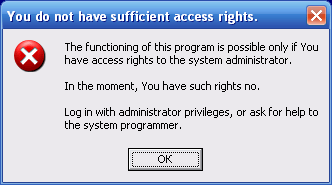
Fig. 01-02. The program does not have Administrator access rights (Windows XP).
| 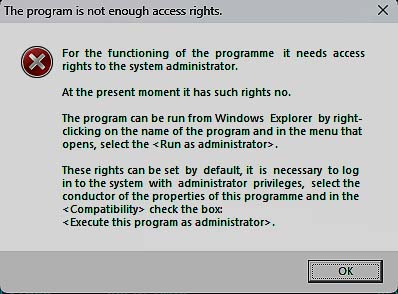
Fig. 01-03. No administrator access rights (Windows Vista/7/8/10/11).
|
In Windows Vista and higher operating systems, the program does not inherit the access rights of the account and receives them individually,
regardless of the access rights that triggered its user.
Therefore, the program must run it from Windows, right-click on the program name, selecting item
drop-down box "Run as administrator" , Figure 01-04:
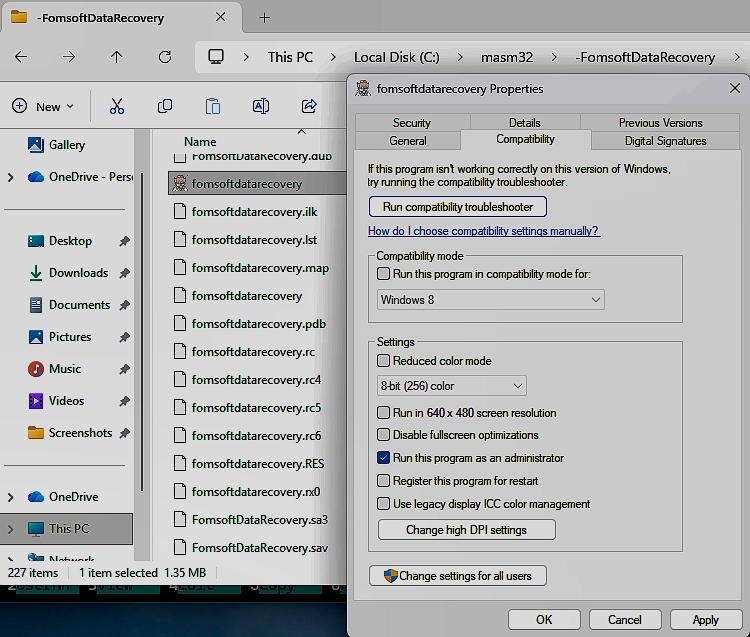
Fig. 01-04. Run the FomsoftDataRecovery.exe program from Windows Explorer Vista/7/8/10.
If desired, the user can install the program Administrator access rights from the Explorer by right-clicking on it
name and checking the corresponding checkboxes in its properties, "Run this program as administrator ":
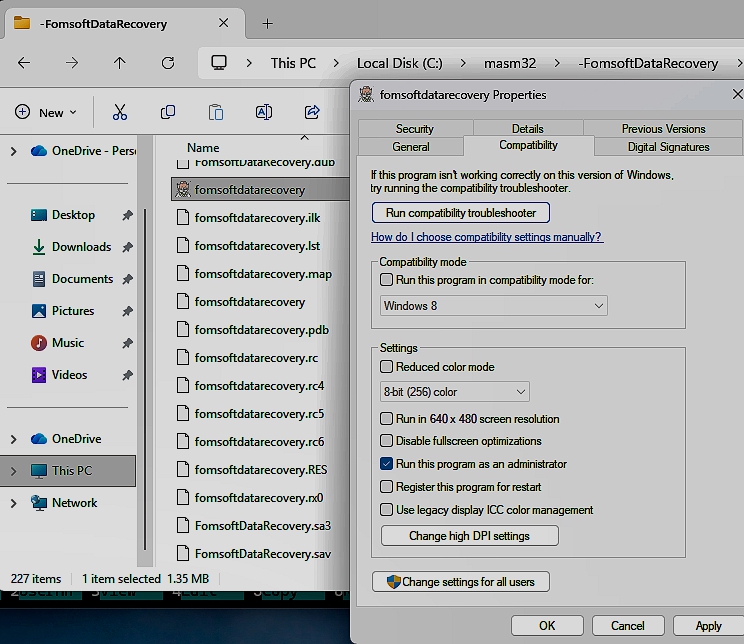
Fig. 01-05. Install the Administrator's access rights program (Windows Vista/7/8/10/11).
|