Online data recovery services, lost data and photos over the Internet.
Data recovery
at low prices
Get help from the
comfort of your home
Missing data
what to do
Free consultation,
contact details
Description of the program Fomsoft Data Recovery.
Features of launching a program for execution.
Functional limitations and opportunities.
Hardware and software failure handling mechanism.
Functional menu of the Fomsoft Data Recovery program.
Free assistance and data recovery services.
Answers to questions and discussions in conferences.
End User License Agreement (EULA)
Fomsoft Data Recovery

V-9.01

Data recovery, diagnostics of disk devices,
analysis and viewing of file structures.

Download for free:
Archive 7-Zip
7Z file
Archive ZIP
ZIP file

Functional menu of the Fomsoft Data Recovery program.

Menu itemContents of the drop-down menu
1

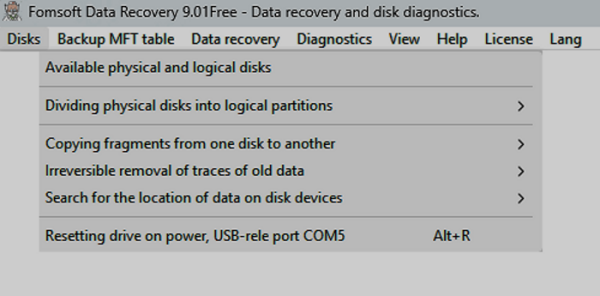
Disks

Main menu item disk and computer Management.
Fig. E07. «Main menu - Disk and computer management».
2.1

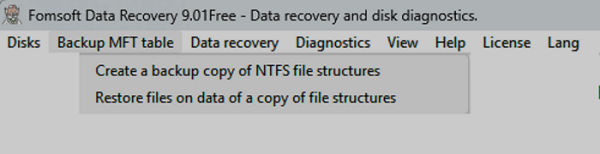
Dackup MFT table

Backup copy of the MFT table
Рис. 8. Main menu item - Backup copy of the MFT table.
2.2

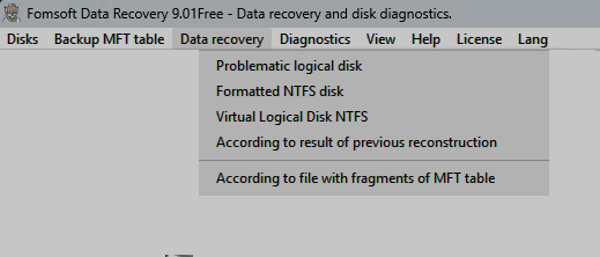
Data recovery

The reconstruction of the tree of directories and restore files.
Fig. 8. Main menu item - The reconstruction of the tree of directories and restore files.
3

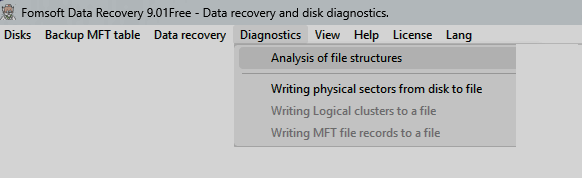
Diagnostics

Main menu item Diagnostics of disk and logical structures of file systems.
Fig. 9. Main menu item - Diagnostics of disk and logical structures of file systems.
4

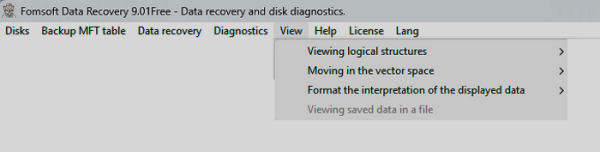
View

Main menu item - Main menu item.
Fig. 10. Main menu item - View sector space.
5

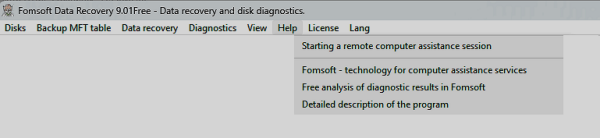
Help

Main menu item - Help.
Рис. 14. ПMain menu item - Help.
9

License

Main menu item - License.
Fig. 15. Main menu item - License.
10

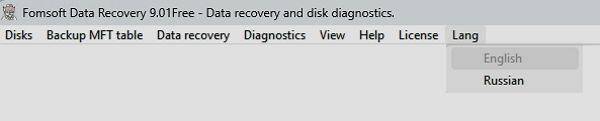
Lang

Change the interface language.
Fig. 16. Main menu item - Change the interface language.


Back. Next.

Date of last adjustment - 2026.03.13.