Backup of the MFT table.
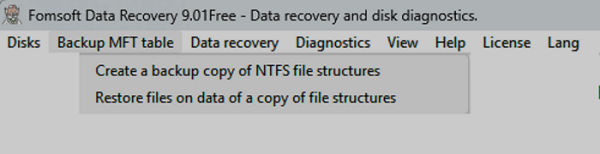
Fig. 8a. Main Menu item « Backup of the MFT table»".
Create a backup copy of NTFS file structures.
When activating this sub-item, the settings panel for creating a backup copy of the MFT table is displayed on the screen, Fig. 17.
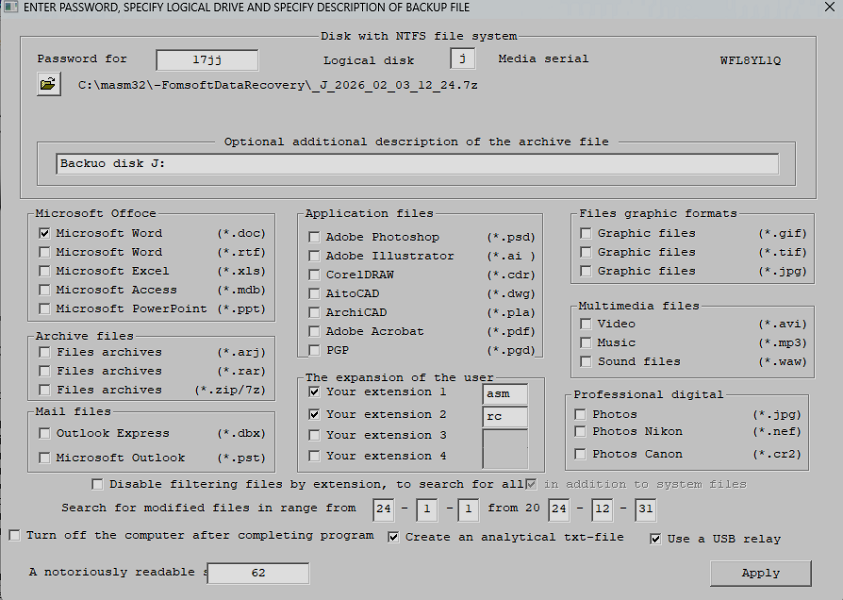 Fig. 17. Configure the settings for creating a backup copy of the MFT table.
In this case, the user must specify:
- The password for accessing the backup being created
- The letter of the logical disk
- If desired, enter a description of the backup being created
- Set/uncheck the standard file extensions, or check the deselect boxes.
- It can set up to four custom file extensions.
- It can set a range of dates for correcting archived data.
- Reset/check the boxes:
- Turn off the computer after the program is completed
- Create an analytical text file FomsoftDataRecovery.txt
- Use a USB relay
- A notoriously readable sector
The program monitors the specified location of the backup file. If there is a potential threat of simultaneous
failure of the target disk and the backup disk, the program suggests specifying another physical disk.:
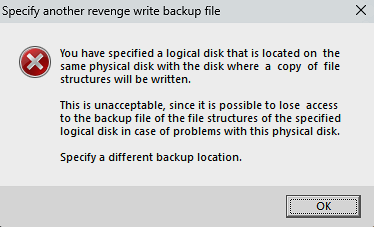 Fig. 17a. You must specify a different logical drive.
o avoid a situation where the power management of the USB relay is carried out by another physical disk, the
program asks you to confirm that the USB relay controls the power supply of the specified disk:
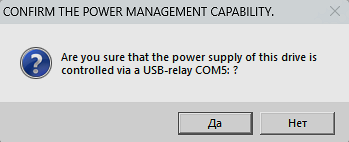 Fig. 17b. Confirm the power management option.
Upon completion of the backup procedure, the program outputs the message shown in Fig. 17c:
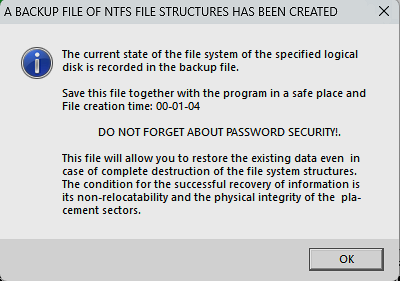 Fig. 17c. Notification of completion of backup creation.
The name of the created MFT backup file consists of the letter of the logical disk, the date and time of creation
, and the 7c extension. For example, _M_2026_01_02_18_01.7z.
Restore files based on the data of a copy of file structures.
Full recovery of the files needed by the user based on the data from the backup file of the table is possible only for those files that
were not modified at the time the backup file was created.
When the corresponding menu item is activated, a dialog panel for configuring the filter for selecting files needed by the user is displayed
, Fig. 17d:
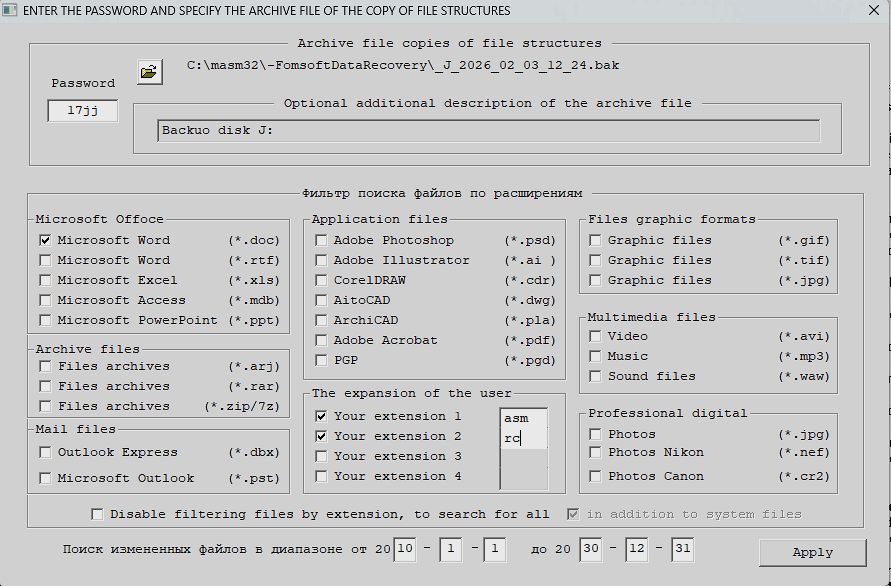 АFig. 17d. Configure the search filter for the necessary files.
The user can select the extensions of the necessary files and specify the time range of modifications of the files he needs.
Figure 17d shows the result of the file search according to the corresponding settings.
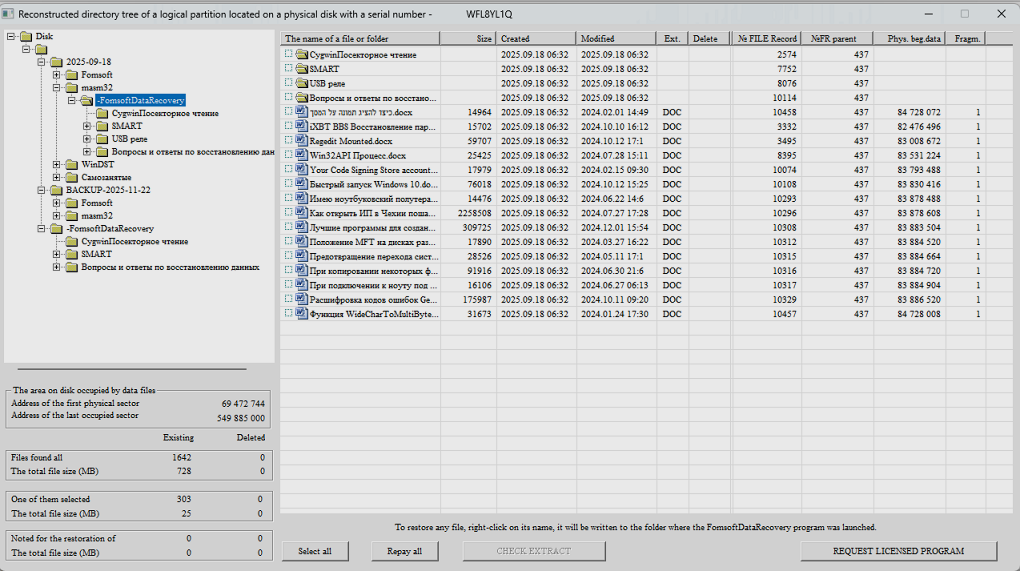 Fig. 17e. The result of the file recovery search.
|