Power reset of the drive, USB relay COMx port.
Unfortunately, sometimes errors occur on disks, and the disk management firmware is unable to process some of them correctly. In this case, the disk stops
responding to operating system commands and goes into a comatose state. To bring it out of this state, you can only turn off the power
supply for a while and then resume it.
The Fomsoft Data Recovery program implements two options for performing this procedure:
Manual power management by the user at the command of the program.
When a situation arises related to the loss of drive availability, the program asks the user to interrupt the
power supply of the problematic drive for a short time.:
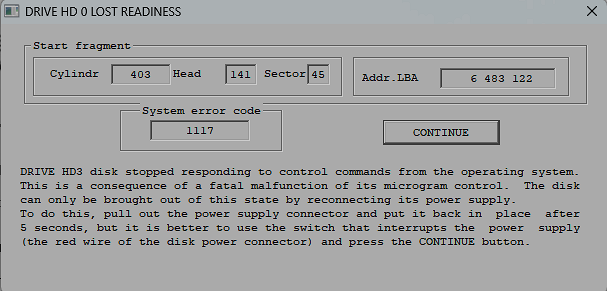 Fig. 215a. Request a power outage for a short time.
To prevent accidental breakage of the split connection, it is fashionable to install a regular switch on the red wire of the connecting cable.:
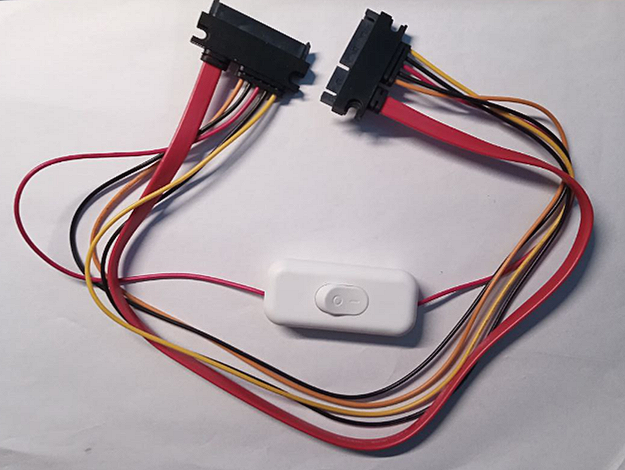 Рис. 215b. An ordinary switch on the red wire of the connecting cable.
A pause after power off is required for the operating system to handle the situation.
Automatic manipulation of the power supply through the use of a USB relay.
If you install a UBS relay instead of a conventional switch, which is quite inexpensive, the user is freed from the need
to constantly monitor the process of reading the sector space of the problematic drive, which significantly reduces the complexity.
subtraction of the sector space.
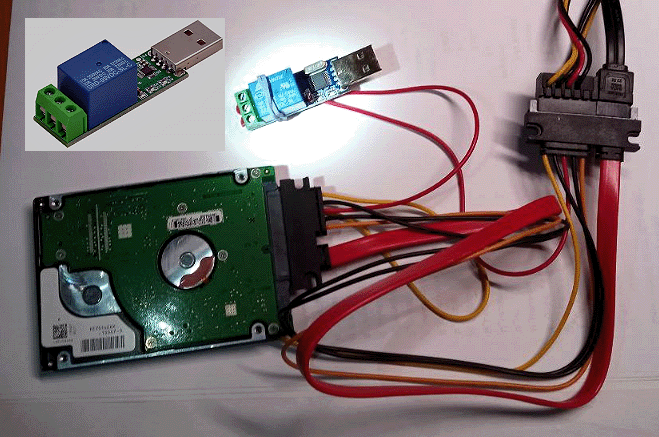 Рис. 215c. USB relay on the red wire of the connecting cable.
|