Search for the location of data and information on disk devices.
To find the physical location of information in the sector space of disk devices, data, you must call the drop-down menu,
shown in Fig. 81.
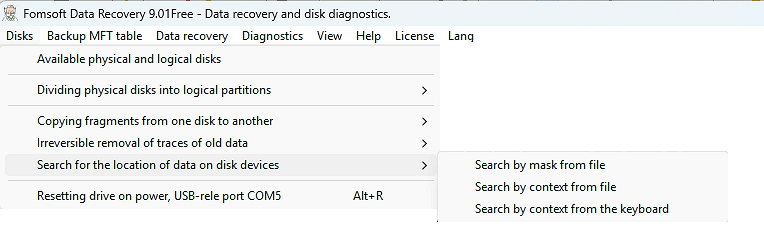 Fig. 81. The drop-down submenu "Finding the location of data and information on disks".
Search for the location of information can be performed in three ways:
-
Search for a mask taken from a file.
-
Search by context from a file.
-
Search by context from the keyboard.
Search for information on the disk by the mask taken from the file.
In contrast to the search by the contextual search pattern, it involves searching in sectors of specified
sequences of search data anywhere in the current surveyed sector, and not strictly at a given location in the sector.
To set the beginning of the mask data, use:
- The number of the entry in the file. The file containing the search mask is conditionally divided into records of 512 bytes in length.
- The offset of the mask data relative to the start of the corresponding record in the specified file.
- The size of the search mask in bytes.
- The address of the beginning of the search area.
- The final address of the search area.
If you want to extract the sector area of the intended file ending with the signature of the beginning of any other file, the crawler
can hide the tag"Record files based on the found search patterns.".
At the same time, it is necessary to specify the maximum possible size of the recoverable file in megobytes..
In Fig. 82 shows a form of data query for searching by mask.
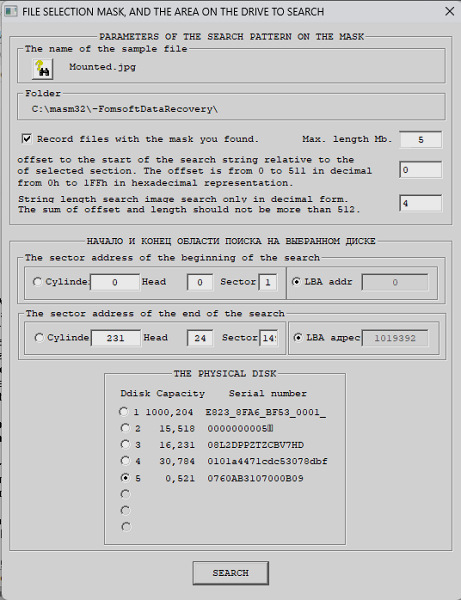 Fig. 82. The drop-down submenu "Search for data on the disk according to the context taken from the file".
Search for data on disks by the context taken from the file.
Unlike wildcard searches , context searches involve searches in sectors of specified
sequences of search data anywhere in the current surveyed sector, and not strictly at the specified location in the
sector. When you select this search function, the dialog form shown in Fig. 83.
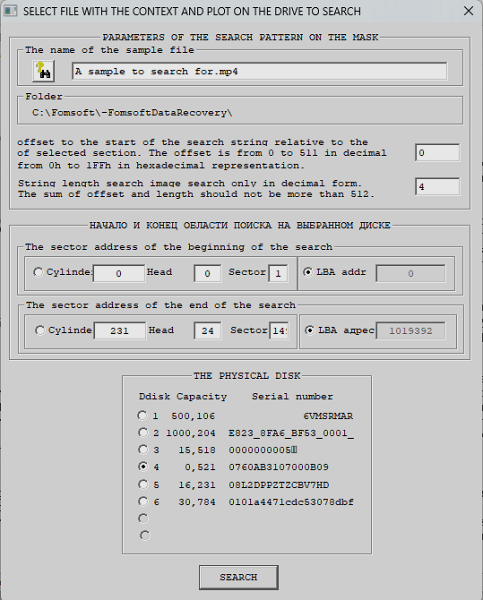 Fig. 83. The drop-down submenu "Finding the location of data and information on disks".
Finding the location of information on the disk by the context entered from the keyboard.
This function allows you to set the context of the search directly from the keyboard, Fig. 84.
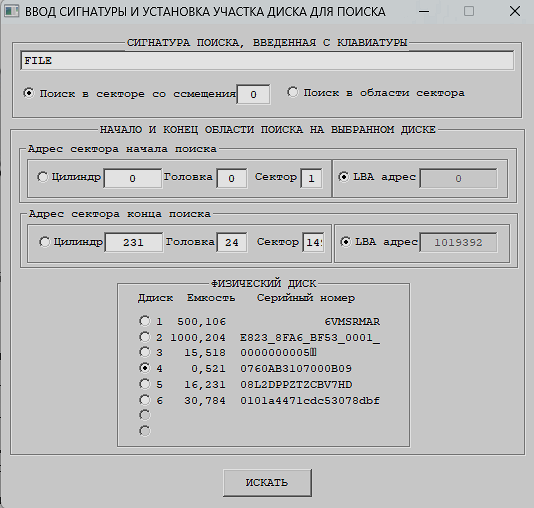 Fig. 84. The drop-down submenu «Finding the location of data and information on disks».
Display the progress of the search process on the screen.
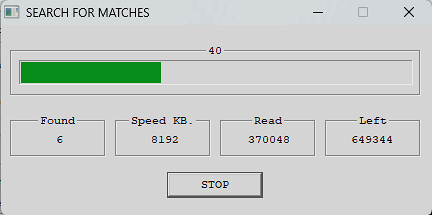 Fig. 85. Display the progress of the search process.
As a result of the search, the program creates a file containing the addresses of the sectors in which the search object was found.
The names of the file with search results consists of their characters "HDx" (where "x" is the serial number of the disk)
and the value of the serial number of the hard disk or
identifier flash card or flash drive.
In Fig. 86 shows the program message about the end of the search:
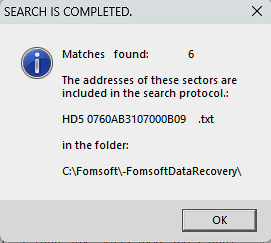 Fig. 86. The result of the search for matches.
Figure 87 shows the search result for a given area of the hard disk.
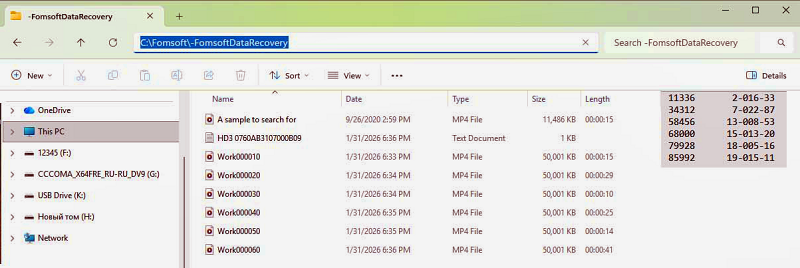 Fig. 87. Content of the search results file.
|